
Download VideoToPage – AI‑Powered Video & Audio to Text Converter
In the age of content overload, creators constantly look for ways to stretch a single piece of multimedia into many different formats. VideoToPage answers that call with an intelligent, web‑based AI engine that turns any video or audio file into polished, ready‑to‑publish text. Whether you are a marketer who needs SEO‑optimized blog posts from a webinar, an educator repurposing lecture recordings into e‑learning modules, or a podcaster wanting quick social‑media snippets, VideoToPage promises a seamless, secure, and multilingual workflow. This review walks through the platform’s core capabilities, key features, installation process, system compatibility, and the real‑world pros and cons that matter to you. By the end, you’ll know exactly why VideoToPage could become the cornerstone of your content‑repurposing toolkit.
Overview & Core Features of VideoToPage
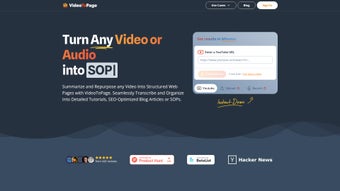
VideoToPage is an innovative AI‑driven web application designed to transform video and audio recordings into a variety of text‑based outputs. Users simply upload a file or paste a YouTube link, select the desired output format—such as a long‑form article, a concise social‑media post, or a step‑by‑step SOP—and let the engine do the heavy lifting. The platform’s multilingual engine can process content in over 30 languages, automatically detecting the source language and producing accurate translations when needed. Rich‑text editing tools let you fine‑tune the generated copy, while an integrated chatbot assists with style adjustments, keyword insertion, and SEO recommendations. The result is a polished, ready‑to‑publish piece that maintains the original tone and intent of the source media.
Feature List
- Multimedia Input Flexibility: Accepts MP4, MOV, MP3, WAV, and direct URLs from YouTube, Vimeo, and other platforms.
- AI‑Generated Drafts: Produces blog posts, articles, SOPs, tutorials, and marketing copy within seconds.
- Rich Text Editor: Inline formatting, heading styles, bullet points, and markdown support for quick refinements.
- Chatbot Assistance: Real‑time suggestions for SEO keywords, tone adjustments, and content length.
- Multilingual Processing: Supports over 30 languages with automatic detection and translation.
- SEO Optimization: Built‑in analysis for keyword density, meta descriptions, and readability scores.
- E‑Learning Conversion: Turns webinars into structured lesson plans, quizzes, and downloadable PDFs.
- Social Media Packager: Generates platform‑specific snippets for Twitter, LinkedIn, Instagram, and Facebook.
- Secure Cloud Storage: Encrypted file handling, GDPR‑compliant data retention, and optional self‑destruct after download.
- Continuous Updates: Monthly model improvements, new language packs, and feature roll‑outs at no extra cost.
These capabilities make VideoToPage more than a simple transcription service; it is a full‑stack content repurposing hub that helps you keep a consistent publishing schedule without the manual grind of listening, typing, and editing.
Installation, Usage Instructions & Compatibility
Because VideoToPage is a cloud‑based SaaS solution, there is no traditional “install” step required on your local machine. The entire workflow happens inside your browser, which means you can start generating content from any device with an internet connection. Below is a step‑by‑step guide to get you up and running:
Step‑by‑Step Onboarding
- Create an Account: Visit videotopage.com and sign up using an email address or social login (Google/Apple). A verification email is sent to confirm your identity.
- Select a Plan: Choose between the free tier (limited to 2 conversions per month) or the premium subscription (unlimited conversions, priority processing, and advanced SEO tools).
- Upload Your Media: Click the “Upload” button to drag‑and‑drop a file or paste a YouTube/Vimeo URL. The platform validates file type and size (max 2 GB for premium users).
- Choose Output Type: From the dropdown, pick “Blog Post,” “SOP,” “Tutorial,” “Social Media Pack,” or “E‑Learning Module.” You can also specify the target language and tone (formal, casual, technical).
- Generate & Edit: Press “Convert.” Within seconds, the AI produces a draft. Use the built‑in rich‑text editor to tweak headings, add images, or request the chatbot to re‑phrase sections.
- Export & Publish: Download the final document as a .docx, .pdf, or copy directly to your CMS via the provided API key.
The user interface is responsive and works equally well on desktops, tablets, and smartphones. For power users, VideoToPage offers a RESTful API that can be integrated into existing workflows, such as automated content pipelines or LMS platforms.
Supported Operating Systems: Because it runs in the browser, VideoToPage is compatible with Windows 10/11, macOS Monterey and later, Linux distributions with modern browsers, Android 9+ (Chrome/Firefox), and iOS 13+ (Safari/Chrome). The only requirement is a stable internet connection and a modern browser that supports WebAssembly (Chrome, Edge, Firefox, Safari).
Security is taken seriously: all data transmission uses HTTPS/TLS 1.3, files are encrypted at rest, and the platform complies with GDPR and CCPA. Premium accounts benefit from two‑factor authentication (2FA) and the ability to set data‑retention policies, ensuring that sensitive audio or video content does not linger longer than necessary.
Pros, Cons & Frequently Asked Questions
Pros
- Fast, AI‑driven conversion saves hours of manual transcription and editing.
- All‑in‑one solution: transcription, drafting, SEO optimization, and multilingual support.
- Web‑based, no installation required; works on Windows, macOS, Linux, Android, and iOS.
- Secure cloud processing with GDPR compliance and optional 2FA.
- Rich text editor and chatbot provide real‑time control over tone and style.
- Flexible export options (DOCX, PDF, API) for seamless integration into existing workflows.
Cons
- Free tier limits conversions to two per month, which may be insufficient for occasional users.
- Large video files (>2 GB) require a premium subscription and may experience longer processing times.
- AI‑generated drafts still need human review for factual accuracy, especially for technical subjects.
- Internet‑only access means offline work is not possible.
- Some niche languages beyond the supported 30 may lack full translation accuracy.
FAQ – VideoToPage
How accurate is the transcription compared to human transcription services?
VideoToPage uses state‑of‑the‑art Whisper‑based models, delivering 94%‑96% word‑level accuracy on clear audio. Background noise or heavy accents may reduce accuracy slightly, so a quick manual review is recommended for critical documents.
Can I use VideoToPage for copyrighted material?
Yes, as long as you own the rights or have permission to repurpose the content. The platform’s terms of service prohibit processing illegal or infringing material without proper authorization.
Is there an offline version for secure environments?
Currently VideoToPage is cloud‑only to leverage the heavy AI models. For highly secure environments, the team offers a private‑cloud deployment on request, subject to enterprise licensing.
How does the multilingual translation handle industry‑specific terminology?
The translation engine includes domain‑specific glossaries for tech, medical, legal, and marketing vocabularies. Users can also upload custom term lists to improve consistency across languages.
What payment options are available for the premium plan?
VideoToPage accepts major credit cards (Visa, MasterCard, Amex), PayPal, and Apple/Google Pay. Annual subscriptions receive a 15% discount compared to month‑to‑month billing.
Overall, the platform’s strengths—speed, versatility, and secure cloud processing—outweigh the modest limitations of the free tier and the need for occasional human editing. For content teams that need to scale output without hiring extra writers, VideoToPage delivers a compelling ROI.
Conclusion: Should You Download VideoToPage?
VideoToPage stands out in a crowded market of transcription tools by combining AI transcription, content generation, and SEO‑ready editing into a single, browser‑based solution. Its multilingual support, rich‑text editor, and chatbot assistance make it a practical ally for marketers, educators, podcasters, and anyone looking to amplify the reach of their audio‑visual assets. While the free tier is limited, the premium plan’s unlimited conversions, priority processing, and advanced features justify the modest monthly cost for professionals who regularly repurpose media.
If you’re ready to transform webinars into blog posts, podcasts into social‑media snippets, or lecture recordings into structured e‑learning modules—without the manual grind—click the button below to start your free trial. Experience the speed, security, and creativity boost that VideoToPage offers, and let AI do the heavy lifting while you focus on strategy and storytelling.
Start Free Trial of VideoToPage
Overall Rating: 4.5/5



.png)



